Flexible Classroom (the desktop build) and see how far a .env file and an afternoon could actually get me. It got me further than expected. This is the walkthrough I wish I'd had going in: what Flexible Classroom actually is, the exact step...
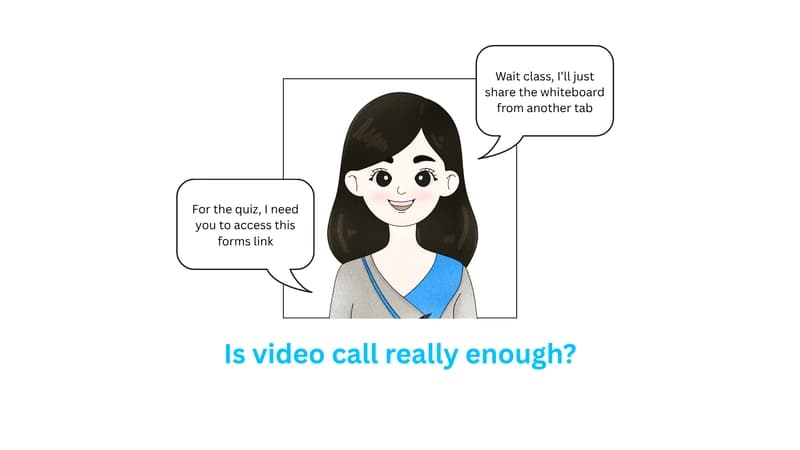
Every ed-tech team hits the same wall eventually: your video call works fine for a meeting, but a classroom needs more. A teacher who can promote a student's mic, a whiteboard that stays in sync for forty kids, breakout rooms that don't fall over. Building that stack from raw WebRTC is a semester-long project by itself. So instead of building it, I set out to stand up Agora's Flexible Classroom (the desktop build) and see how far a .env file and an afternoon could actually get me.
It got me further than expected. This is the walkthrough I wish I'd had going in: what Flexible Classroom actually is, the exact steps that got it running locally, and, because a working demo isn't the same as a reason to use it, where this kind of setup earns its keep in the real world.
What you're actually installing
Flexible Classroom isn't a video-call widget you drop into a page. It's a pre-built classroom UI, with layouts, roles, and interaction patterns already assembled, sitting on top of Agora's real-time engine. Under the hood you get low-latency video and audio over Agora's SD-RTN, a real-time messaging channel for state sync, and an interactive whiteboard, all wrapped in scenarios the docs call "small classes," "1-on-1," and "lecture hall." This particular repo builds it as an Electron desktop client rather than a browser tab: same engine, packaged as a native app for Windows and macOS.
**Why that distinction matters. **You're not writing signaling logic or reconnect handling. You're configuring credentials and picking a role. The trade-off is you inherit Agora's opinions about layout and UX, which is exactly what makes the "from scratch to first class" timeline realistic in an afternoon rather than a quarter.
What's actually inside it
Before touching a terminal, it's worth knowing what you're getting for that .env file. Flexible Classroom ships as a set of pre-built scenes (the SDK in this repo alone is split into a classroom UI kit, an education-core state layer, and a real-time transport layer) bundled into four feature groups.
Communication
Live video & audio over Agora's SD-RTN, tuned for classroom-scale participant counts
Screen sharing for slides, code, or any application window
Shared whiteboard, built in rather than bolted on: freehand drawing, shape and text tools, multi-page docs, and live PDF/image annotation, with every stroke mirrored to each participant in the room as it's drawn
Built-in text chat alongside the video layout: a room-wide channel plus 1:1 private messages, with teacher-side muting so a big room doesn't turn into noise
Engagement
Hand-raise queue so a teacher can bring one student on stage at a time
Live polling and **pop-up quizzes **pushed to every student mid-session, with results tallied in real time
Reward/points system for lightweight participation feedback
Countdown timers for timed exercises inside a live class
Roles & management
Teacher / Student / Assistant roles, each with distinct permissions out of the box
Attendance tracking logged automatically per room
Mute, remove, or promote any participant from the teacher console
Session recording for later playback or compliance
Platform
Three built-in scenarios (1-on-1, small class, and lecture hall), each a different pre-tuned layout
Web, desktop (Electron), and mobile builds from the same core SDK
**Custom branding **via the UI kit's theming layer
ISO / SOC 2-aligned security posture on the underlying Agora infrastructure
1-on-1 tutoring → small class, ~50 students → lecture hall, large cohorts: same SDK, different scene config.
The optional layer: widgets and proctoring
None of what's above is hard-wired into the layout. Every one of it, whiteboard included, is its own bundle in the SDK's plugin gallery, loaded per scene, which is what makes the next tier possible: features you only turn on for a specific kind of session.
whiteboard · chatroom · vote / polling · answer / quiz · countdown counter · watermark · stream-media · webview embed
Proctoring (separate SDK)
This is the one that's genuinely separate, not just switched off by default. It ships as its own package, agora-proctor-sdk, and even packages into its own standalone desktop client, distinct from the classroom app itself. It turns a room into an invigilated exam session rather than a lesson.
**Locked-down exam view **replacing the normal classroom layout
Continuous camera monitoring for the duration of the session
Same real-time transport as the classroom SDK, so no separate infra to stand up
Opt-in only: it's a separate install, not a toggle inside a normal class
Setting it up, step by step
1. Get the prerequisites in place
Git, Node.js 16 specifically (18+ isn't supported yet), and Yarn. An Agora account with a project that has Flexible Classroom enabled in the console. And, less obviously, a connection with no firewall getting in the way of real-time media ports.
enable yarn via corepack (node 16.10+)
corepack enable
2. Clone the desktop repo and pin the release
I stayed on release/2.9.0. Matching what's actually deployed matters more than chasing main when you're evaluating the platform.
git clone https://github.com/AgoraIO-Community/flexible-classroom-desktop.git
cd flexible-classroom-desktop
git checkout release/2.9.0
3. Pull in the submodules
The classroom UI, the whiteboard bindings, and the Electron shell each live as their own package. This one command fetches and links all of it.
yarn install:packages
4. Drop in your App ID and certificate
These come from the Agora Console project you enabled Flexible Classroom on. With both set, the client generates its own RTM token at runtime, so no separate auth step is needed for local testing.
# .env
REACT_APP_AGORA_APP_ID={your app id}
REACT_APP_AGORA_APP_CERTIFICATE={your app certificate}
5. Launch it
This starts the dev build and serves the classroom UI locally.
yarn dev
http://localhost:3000
6. Prove it with two roles
Join a room as Teacher in one window, then join the same room name as Student from a second window or device. This is the moment it stops being a config file and starts being a classroom: video tiles populate, the whiteboard syncs live, and the teacher can mute, promote, or hand off drawing control.
7. Optional: pack it as a native client
Because this is the desktop variant, the same build can be shipped as an actual installable app rather than a browser tab.
yarn ci:build
yarn pack:electron:mac # or pack:electron:win
Before this touches real students
The bundled token generator is there so you can get to a working demo without standing up backend infrastructure first. It is not meant to survive contact with production. Swap it for a real token server before anyone outside your laptop joins a room.
Where this setup actually pays off
A working local build is a proof of concept. These are the shapes of the real deployments it's built for.
K-12 remote & hybrid classes
Small Class · Whiteboard
One teacher, a full roster of students, and a whiteboard that needs to feel like the front of a real room, with hand-raising, mic control, and screen share included by default.
Corporate onboarding & L&D
Lecture Hall · Recording
Live cohort training where the same session needs to be recorded, replayed, and tracked for completion, without engineering a bespoke video pipeline for HR.
1-on-1 tutoring & exam prep
1-on-1 · Low Latency
Just a tutor and a student sharing an annotated whiteboard in real time. It's the lightest of the three modes, and the one where sub-second latency is felt the most.
Bootcamps & lab sections
Breakout · Electron
Breakout groups working through an exercise while an instructor drops between rooms. Desktop packaging matters here since labs often run on locked-down campus machines.
What I'd tell the next person doing this
Pin the Node version before you do anything else. Node 18 will get you an install that looks fine and a runtime that isn't. Past that, the honest surprise wasn't the video or the audio, both of which just worked; it was the whiteboard staying pixel-in-sync between a teacher window and a student window on different machines, with nothing I had to configure for it. That's the actual pitch for a platform like this: not that it saves you from writing video code, but that it saves you from debugging the failure modes of video code you didn't write carefully enough the first time.
Resources
Demo
FCR Overview
FCR Demo Quickstart
Integrate Classroom SDK
#Agora #FlexibleClassroom #FlexibleOnlineClasroom #ConversationalAI #RTC #Real-Time-Communication #Real-Time-Engagement